
Warehouse Technology Mastering Your Warehouse with WMS Software: A Comprehensive Guide
We all know that a well-run warehouse is essential for any business that deals with physical goods and fulfillment operations. But keeping track of inventory, managing orders, and optimizing workflows can be a real headache.
Table of Contents
SHARE ON SOCIAL MEDIA


We all know that a well-run warehouse is essential for any business that deals with physical goods and fulfillment operations. But keeping track of inventory, managing orders, and optimizing workflows can be a real headache. That’s where a WMS software comes in. Warehouse Management Systems can help you streamline your warehouse operations, reduce costs, and improve efficiency. This is especially crucial when you consider that order picking can eat up 50-55% of your total warehouse operating costs.
But, this isn’t just about saving money, either. With warehouse worker salaries surging 38% in the last five years, having inventory management software to boost productivity is crucial for staying competitive.
What is WMS Software?
Warehouse management software, or WMS for short, is like the brain of your warehouse. It gives you complete control over everything from receiving and storing goods to picking, packing, and shipping orders.
As inventory moves through the warehouse, WMS tracks stock levels, movements, and storage locations in real time. This gives teams clearer visibility into what they have, where it is, and what needs attention, helping your team manage daily work more accurately and make better operational decisions.
Core Functions of WMS Software
WMS software supports the movement of goods from the moment they arrive until they leave the warehouse. Its core functions typically include:
- Inventory tracking: Monitors stock levels, locations, and movements in real time.
- Receiving and putaway: Records incoming goods and guides employees to appropriate storage locations.
- Picking, packing, and shipping: Organizes fulfillment tasks, reduces errors, and helps orders move out accurately and on time.
- Space management: Tracks storage locations and helps teams use available warehouse space more effectively.
- Task management: Assigns and monitors warehouse work so employees know what needs to be completed next.
- Reporting and insights: Provides operational data on inventory, orders, productivity, and warehouse performance.
The exact capabilities vary by system, so businesses should compare the key WMS features available with the processes and challenges they need to manage.

Benefits of Using a WMS Software
Think of the pressure to deliver orders accurately and on time. Now, imagine facing disappointed customers who might not order from you again if their deliveries are late. Turns out, 57% of consumers have said they would hesitate to use a retailer again after a late delivery. That’s where a WMS becomes your secret weapon. Here’s how it can revolutionize your business:
Boosting Efficiency
Imagine trying to find a specific item in a mountain of boxes. It’s like finding a needle in a haystack. With a WMS, you can say goodbye to those frustrating scavenger hunts.
A warehouse management system (WMS) can provide real time visibility and tell you exactly where every single item is in your warehouse, so you can retrieve it in a snap. So this means quicker picking and packing, happier customers, and increase operational efficiency. This is when solutions tailored to your picking workflows can really make a difference.
Accurate Inventory
Inventory discrepancies can be a major challenge for businesses. But with a good warehouse management system you get real-time inventory data right at your fingertips. No more guessing games or manual stock checks.
You’ll always know exactly what you have, where it is, and how much you’ve sold. That translates into better forecasting, leaner inventory management, and a healthier bottom line. It also means you’ll be able to get paid faster and improve your cash flow.
Streamlined Workflow
Picture this: orders flowing seamlessly from your online store to your warehouse and then out to your happy customers, all without a hitch. A WMS makes that a reality. It integrates all stages of your operations, connecting every step in the process like a well-oiled machine.
This type of software support can help you better manage complex operations. It’s all about working smarter, not harder, with modern WMS technology solutions.
Optimized Space
Think every square foot of warehouse space is generating revenue? Think again. A WMS helps you get organized by suggesting the most efficient storage locations based on factors like product type and popularity.
No more wasted space or inefficient layouts – it’s all about squeezing every penny out of your warehouse. It’s the Marie Kondo method applied to warehousing, and it can be a game-changer. Greater efficiencies in space utilization are key to unlocking your warehouse’s full potential.

Happier Employees
Who loves mundane, repetitive tasks? Nobody. A good inventory management system can take over the more tedious aspects of warehouse work, allowing your team to focus on more fulfilling tasks.
Tasks like picking and packing can become quicker and more accurate, creating a better work environment for your team. Not only that, but it can also improve order management, making it easier for your team to track orders and fulfill them on time. WMS systems are about more than just managing inventory, they are about empowering your team to do their best work.
Boosted Profits
Here’s the bottom line – using a right software isn’t just about tidying up your warehouse or making your employees happier; it’s about boosting your profits. By optimizing processes, reducing errors, and increasing efficiency, you’re creating a ripple effect that touches every part of your business, leading to significant cost savings and improved revenue in the long run.
Types of WMS
WMS software can be offered as a standalone system, included within a broader supply chain platform, or provided as a module within an enterprise resource planning system.
- Standalone WMS: Focuses primarily on warehouse activities such as inventory tracking, receiving, putaway, picking, packing, and shipping.
- Supply chain management WMS: Connects warehouse operations with broader logistics functions, such as transportation, order management, and supplier coordination.
- ERP-based WMS: Provides warehouse capabilities within a larger system used to manage finance, purchasing, human resources, and other business functions.
The best option depends on the depth of warehouse functionality required, the systems already in place, and how closely warehouse operations need to connect with other parts of the business. For a more detailed comparison, explore the main types of WMS and their advantages and limitations.
WMS Deployment Models: On-Premises vs. Cloud
Beyond choosing the type of system, businesses must also decide how their WMS software will be deployed. The two primary options are on-premises and cloud-based systems, each with different requirements for infrastructure, maintenance, accessibility, and scalability.
On-Premises
On-premise warehousing systems live on your own servers, giving you total control over your data and security. However, it also often comes with a bigger upfront investment for hardware and software, plus the ongoing costs of maintenance and IT support.
Cloud Based Warehouse Management System
Cloud-based WMS solutions live online and are accessed via the internet. These systems often offer more flexibility and scalability, allowing you to add or remove users and features as your business grows. Cloud-based warehouse management is a popular choice for businesses of all sizes.
Cloud WMS solutions typically involve a subscription-based pricing model, which can make them more affordable upfront than traditional on-premises systems. It’s like subscribing to your favorite streaming service; you pay for what you use and get the latest updates automatically.
And speaking of updates, you never have to worry about being stuck with outdated software or having to go through a major upgrade process with the cloud. It’s all handled seamlessly for you. Cloud-based systems are a game changer for businesses with multiple warehouses or those who anticipate rapid growth. Need to scale up your operations quickly? No problem.
Do You Need WMS Software?
Not every business needs a Warehouse Management System (WMS). However, if your warehouse struggles with inefficiencies, a WMS could be a game-changer. Smaller operations can also evaluate whether a WMS for small business provides the right level of functionality and scalability for their needs. Consider the following:
- Frequent inventory inaccuracies? Do stockouts, overstocks, or misplaced items disrupt operations? A WMS with barcode or RFID tracking ensures real-time visibility and improves accuracy.
- Slow or error-prone order fulfillment? If picking and shipping take too long or mis-shipments are common, a WMS optimizes routes, automates tasks, and reduces mistakes.
- Lack of warehouse data? Struggling to track inventory, order volume, or employee productivity? A WMS provides real-time reports and analytics, enabling data-driven decisions.
- Disorganized warehouse space? Running out of storage or struggling to locate items? A WMS optimizes space utilization, preventing unnecessary expansion.
- Scaling challenges? Is growth causing inefficiencies? A WMS helps businesses manage increasing order volumes and complex inventory needs seamlessly.
If you answered “yes” to multiple questions, investing in a WMS software could significantly enhance efficiency, reduce costs, and improve overall warehouse operations.
How To Choose the Right WMS
Ready to join the world of warehouse management systems but not sure how to choose the best fit? Here are a few tips:
1. Assess Your Needs
Are you a small business just starting out? Or are you a seasoned pro with multiple warehouses and complex processes to manage? Identify your pain points and prioritize features that address your specific challenges. In this way, you won’t be bogged down with bells and whistles you don’t actually need. Consider what your order volume looks like and if you can use software to help manage that.
For instance, if you handle perishable goods, robust temperature zone management becomes a non-negotiable. If your business involves a global supply chain, you’ll need a system that can handle the complexities of international shipping and logistics. You will also want to ensure the software has features like batch picking if your order fulfillment strategy uses this approach. It is important to think about how the software can integrate with your existing ERP systems, too. This will help to ensure that your inventory data is accurate and up-to-date.
2. Integration
This one’s a biggie, folks. Make sure your WMS can provide seamless integration and share data with your other systems. A flow of information is key to maximizing efficiency. Imagine your warehouse management system seamlessly communicating with your management systems like accounting or CRM platforms. Software integrations are crucial for any modern business.
Think about the other software you use, like enterprise resource planning (ERP) systems or third-party logistics (3PL) platforms. Make sure the WMS you choose can easily integrate with those systems. Smooth data exchange between different platforms is key to running a tight ship. Without it, you risk data silos, errors, and a whole lot of wasted time.
3. User-friendliness
Don’t underestimate the power of a user-friendly interface. You need a system that your team can actually use without needing a Ph.D. in computer science. It should be simple to learn, navigate, and get the job done.

4. Scalability and Support
Look for a warehouse management system that can grow with your business. A system that works great for you today might not cut it when you’re twice the size in a few years. Make sure the WMS you choose can handle increasing order volumes and expanding operations. Flexibility is key. Also, a reliable support team can be a lifesaver when those inevitable hiccups occur. You’re not just investing in software; you’re investing in a long-term partnership.
5. Budget
Determine a realistic budget. Remember to factor in all associated costs. These might include implementation, training, ongoing maintenance, and potential customization needs. Remember to ask about hidden fees and don’t be afraid to negotiate for the best deal.


WMS Implementation Roadmap (Keep It Simple, Make It Stick)
Rolling out a WMS is less about software and more about how people work. The goal is clarity, confidence, and momentum—not a giant, risky “big bang.”
1. Align and simplify
Set a clear scope for phase one. Decide what problems you’ll solve first and who owns each step. Keep the list short so teams can focus.
2. Map the real work
Walk the floor. Write the simple, current steps for receiving, putaway, picking, packing, shipping, and returns. Note where mistakes or delays usually happen. Those become your first fixes.
3. Clean the basics
Tidy product, unit-of-measure, and location data. Standardize labels and barcodes. Good inputs make everything smoother.
4. Configure the essentials
Turn on only what you need now. Connect the systems that must talk on day one (ecommerce/OMS, ERP/accounting, and carriers). Save advanced features for later.
5. Pilot a small slice
Choose one area or product family. Run it end to end. Gather feedback daily and adjust slotting, labels, and screen prompts quickly.
6. Train for the floor
Use short, role-based guides and quick videos. Nominate a few “floor champions” to coach peers during the first weeks.
7. Go live with support
Plan a calm cutover. Stage extra scanners, labels, and help on the floor. Keep a simple fallback plan, just in case.
8. Stabilize, then expand
Hold brief check-ins, tidy any rough edges, and roll the same approach to the next area. Document what worked so new team members can ramp fast.
Bottom line: start small, keep the process human, fix issues quickly, and build in waves. That’s how a WMS implementation sticks.
How Supply Chain Orchestrator Supports Warehouse Operations
Supply Chain Orchestrator provides cloud-based WMS software that brings receiving, inventory, orders, tasks, shipments, documents, and reporting into one connected platform. This gives warehouse teams clearer visibility into daily activity while helping them reduce manual work and manage processes more consistently.
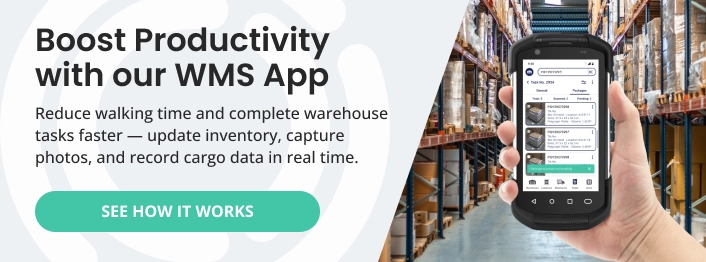
Businesses can extend the platform with connected modules for Workflow Automation, WMS Mobile App, Warehouse Dimensioner, Customer Portal, and Supply Chain CRM. Together, these tools connect warehouse execution, process automation, mobile activity, cargo data, customer self-service, and sales management, allowing businesses to add capabilities as their operational needs grow.
Conclusion
WMS software isn’t just a trend, it’s quickly becoming crucial in today’s competitive world. Investing in a system tailored to your needs will make your warehouse more efficient, save money, and enhance your customer experience by streamlining your entire inventory management process. This will free up more time and resources, allowing you to focus on growing your business. From managing complex supply chain networks to simplifying complex picking and packing processes, the right WMS solution can transform your warehouse into a well-oiled machine.
Ready to explore the right WMS software for your operation? Schedule a demo to see how Supply Chain Orchestrator can help you centralize warehouse activity, improve operational visibility, automate key processes, and support future growth.
For more warehouse management, logistics software, and supply chain technology insights, follow us on LinkedIn and subscribe to our YouTube channel.
Frequently Asked Questions About WMS Software
1. What is WMS software?
WMS software is a system used to manage inventory and warehouse activities, including receiving, putaway, picking, packing, and shipping. It also provides real-time visibility into stock levels, storage locations, orders, and tasks.
2. What are the main functions of WMS software?
The main functions of WMS software include inventory tracking, receiving and putaway, order fulfillment, space management, task assignment, shipping, and operational reporting. Available capabilities vary depending on the system and its integrations.
3. How do you know if your business needs WMS software?
Your business may need WMS software if it regularly experiences inventory inaccuracies, fulfillment errors, limited warehouse visibility, inefficient space usage, or difficulty managing growth. These issues often indicate that manual processes or basic inventory tools are no longer sufficient.
4. Is cloud-based or on-premises WMS software better?
The better option depends on your infrastructure, budget, security requirements, and internal resources. Cloud-based systems generally provide easier access, maintenance, and scalability, while on-premises systems offer greater direct control over infrastructure and data management.
5. What is the difference between WMS and ERP software?
A WMS focuses specifically on warehouse operations, while an ERP manages broader business functions such as finance, purchasing, human resources, and accounting. The two systems can also be integrated so warehouse data flows into the company’s wider business processes.

Written by
Hector Sunol
Related Blogs

WMS SaaS: Definition, Benefits, and How to Choose the Right One
Learn what WMS SaaS is, why more companies are making the switch, and what to consider when choosing the right system for your warehouse.
Start Reading

How to Select the Best Warehouse Management System
Learn how to select the best warehouse management system by evaluating your operational needs, essential features, vendor support, implementation requirements, and long-term scalability.
Start Reading

Logistics Software by Business Type: A Practical Guide
Key takeaway: Logistics software works best when it matches your business model. A 3PL, a freight forwarder, an NVOCC, and a courier don’t run the same workflows. So they shouldn’t buy the same tools.
Start Reading