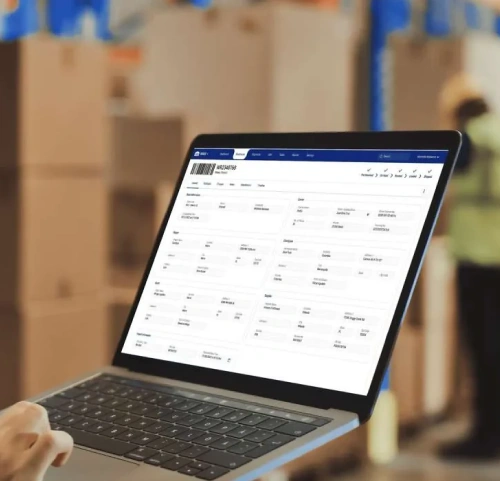
Warehouse Technology 10 Key Warehouse Management System Features
Explore 10 essential and advanced warehouse management system features that can improve inventory visibility, automate repetitive tasks, and increase warehouse efficiency.
Table of Contents
SHARE ON SOCIAL MEDIA


The right software will help you tackle many challenges of operating warehouses. While you can use many different tools and software solutions for this purpose, one of the most impactful is a warehouse management system (WMS) with the right features and functions.
Warehouse management systems (WMS) are comprehensive software solutions that help companies monitor, manage, and optimize warehouse operations. WMS includes a range of features that serve this purpose.
In this blog, we’ll explore some of the standard functions that every WMS must have and some of the advanced features that offer a competitive advantage.
Standard WMS Features
There are some features that nearly every WMS must have to facilitate warehouse management. These features include:
- Inventory management: A WMS helps companies track inventory levels so they don’t have to do so manually.
- Labor management: With a WMS, companies can seamlessly monitor their employees’ output and work hours — keeping them on target.
- Order picking management: A WMS helps facilitate the order-picking process by automatically generating picking lists based on orders.
- Receiving: This WMS feature makes tracking and managing incoming goods at warehouses easier.
- Reporting: A WMS can generate reports to help warehouse managers analyze performance and inventory levels.
These features will be included in most average warehouse management systems. You may find some of these features in enterprise planning resource (ERP) software since it has basic warehouse and inventory management features.

Advanced WMS Features
Some warehouse management systems go above and beyond these standard features, though. If you’re searching for a WMS that can offer you a true competitive advantage in your market, look for one that includes these advanced warehouse management system features:
1. Inventory Management Across Multiple Warehouses
A basic WMS will allow you to track your inventory at a single warehouse. As more and more companies choose to operate multiple, decentralized warehouses, inventory management at individual warehouses isn’t the most effective option.
If you operate multiple warehouses, one of the advanced warehouse management systems features you should look for is inventory management across multiple warehouses. With this advanced WMS function, you can conveniently manage your warehouses from a centralized application. This lets you manage all your inventory from a multiple warehouse level or at any individual warehouse level.
Managing your inventory across multiple warehouses will help ensure your stock levels are optimal and operations are efficient. Especially in these times of unpredictable supply chain performance, you need to have a convenient way of having visibility across your inventory. This way, you’ll spend less time coordinating between warehouses and thus have more time to focus on your business objectives.
2. Real-Time Inventory Visibility From Anywhere
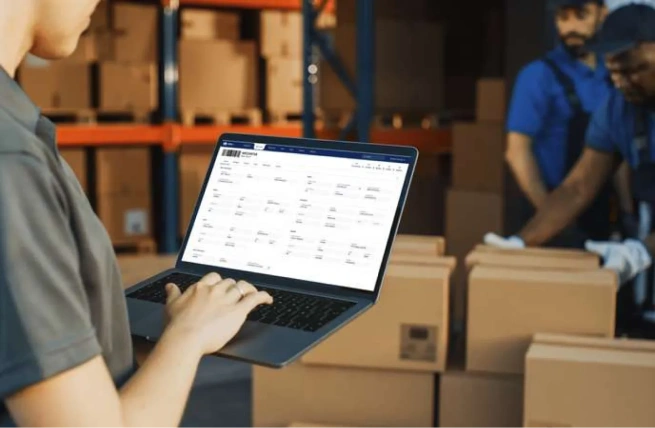
Another advanced WMS feature is real-time inventory visibility from anywhere, even if you’re not in the warehouse.
Warehouse management systems that offer this function provide you with the most recent information about the inventory levels in your warehouses. You never want to base your decisions on outdated, inaccurate inventory information. With this feature, you can have real-time data to help you make the most accurate business decisions possible.
Additionally, having access to warehouse data from anywhere means you can make business decisions promptly. WMSs with this function are usually web-based systems, meaning you can access it from any browser, regardless of whether or not you’re physically in the warehouse.
In the competitive landscape, accessing accurate, real-time inventory data from your hand is a major advantage. This WMS feature allows you to better predict customer demand, protect against inventory loss, and increase your overall warehouse efficiency, helping you stay ahead of the competition.
3. Easy Creation of Report-like Views
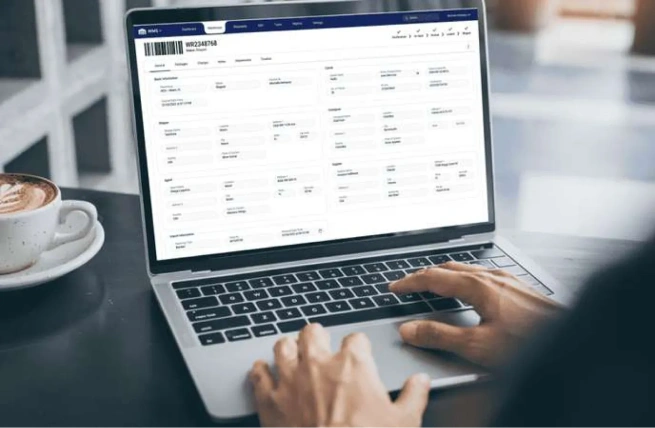
The best warehouse management systems don’t just provide information about your warehouses; they make it easy to manage data by letting users create report-like views according to their needs.
For example, advanced WMSs let you view cargo at the warehouse receipt or inventory level while customizing how they are displayed by adding or removing data, reorganizing columns, and more. Users can also use advanced filters to view specific data according to status, package type, received by, received date, dimensions, and more.
All these options make it simple to create report-like views that reflect the real-time data in your WMS. You can then use these report-like views to adjust your operations and strategies within the warehouses.
4. Automatic Capture of Cargo Dimensions, Weight, & Images
Warehouses receive hundreds or even thousands of pallets and parcels daily, and warehouse staff needs to measure the dimensions and weight of each package. Manually measuring and recording those details is incredibly time-consuming and error-prone, yet many warehouse management systems don’t include features that help them facilitate this process efficiently. This brings us to one of the advanced features of a warehouse management system – automatic capture of cargo dimensions, weight, and images.
With this feature, your WMS will automatically and accurately capture the dimensions and weight of the received cargo and add them to the system. This automation significantly reduces the time to perform the dimensioning process. You’ll save time and money without compromising the accuracy of your cargo records.


5. Workflows to Automate Repetitive Tasks
Many tasks involved in warehouse operations are tedious and repetitive, requiring a lot of the warehouse staff’s time, but one of the advanced functions of a warehouse management system can change that.
Some advanced WMSs include a workflow automation feature. This WMS feature allows you to automate your repetitive tasks within the warehouse and systemize your processes. Some examples of tasks that advanced WMSs can automate include:
- Sending automatic email notifications to customers when their cargo is received or shipped
- Generating receiving tasks for employees when cargo arrives at the warehouse
- Creation of picking tasks when an order is placed
Using automation through a WMS results in more time for your staff to devote to other tasks. Automation in the warehouse can lead to significant productivity gains.

How Supply Chain Orchestrator Brings WMS Features Together
Supply Chain Orchestrator’s Cloud Warehouse Management System brings inventory, receipts, orders, tasks, shipments, documents, and reporting together in one cloud-based platform. It supports capabilities such as real-time inventory visibility, multi-warehouse management, barcode scanning, custom reporting, and process automation.
Businesses can also extend the WMS with connected modules for Workflow Automation, WMS Mobile App, Warehouse Dimensioner, Customer Portal, and Supply Chain CRM. Together, these modules help automate repetitive processes, support warehouse activity from mobile devices, capture cargo dimensions, weight, and images, provide customers with self-service access, and connect warehouse operations with customer and sales management.
This allows businesses to begin with the WMS features they need most and add broader logistics capabilities as their operational requirements grow.

Wrapping Up
A warehouse management system is an essential software to accommodate today’s demands. Even with the standard WMS features, your operations can be more efficient and attuned to the industry. To get ahead of the competition, though, you will need advanced WMS features. The advanced capabilities mentioned in this article are some of the most important, as they can provide your warehouse with significantly more productivity, visibility, and efficiency.
Ready to see how these capabilities work in practice? Schedule a demo to explore how Supply Chain Orchestrator can help you connect and manage your warehouse operations more efficiently.
For more logistics and warehouse technology insights and operational tips, follow us on LinkedIn and subscribe to our YouTube channel.
Frequently Asked Questions About WMS Features
1. What are the most important features of a warehouse management system?
The most important WMS features include inventory management, receiving, order picking, labor management, and reporting. More advanced systems may also support multi-warehouse inventory, real-time visibility, workflow automation, customizable data views, and automated capture of cargo dimensions, weight, and images.
2. How does a WMS improve inventory visibility?
A WMS improves inventory visibility by providing current information about stock levels, locations, receipts, and movements. Cloud-based systems can make this data accessible from any authorized browser, helping warehouse teams make faster decisions based on more accurate inventory information.
3. What advanced WMS features should businesses look for?
Businesses should look for advanced features that support their operational needs, such as multi-warehouse inventory management, real-time inventory visibility, customizable report-like views, automated dimension and weight capture, and workflow automation. These capabilities can improve productivity, accuracy, and control across warehouse operations.
4. Can a WMS automate warehouse tasks?
Yes. A WMS with workflow automation can automatically create tasks, send notifications, and trigger actions based on warehouse events. For example, it may generate a receiving task when cargo arrives, create a picking task when an order is placed, or notify a customer when a shipment is received or dispatched.
5. How should a business choose the right WMS features?
A business should choose WMS features based on its warehouse size, number of locations, inventory complexity, reporting needs, labor processes, and growth plans. Start with essential capabilities, then evaluate whether advanced features such as automation, multi-warehouse visibility, and dimension capture address specific operational challenges.

Written by
Hector Sunol
Related Blogs

Mastering Your Warehouse with WMS Software: A Comprehensive Guide
We all know that a well-run warehouse is essential for any business that deals with physical goods and fulfillment operations. But keeping track of inventory, managing orders, and optimizing workflows can be a real he...
Start Reading

How to Select the Best Warehouse Management System
Learn how to select the best warehouse management system by evaluating your operational needs, essential features, vendor support, implementation requirements, and long-term scalability.
Start Reading

WMS SaaS: Definition, Benefits, and How to Choose the Right One
Learn what WMS SaaS is, why more companies are making the switch, and what to consider when choosing the right system for your warehouse.
Start Reading