
Warehouse Operations WMS SaaS: Definition, Benefits, and How to Choose the Right One
Learn what WMS SaaS is, why more companies are making the switch, and what to consider when choosing the right system for your warehouse.
Table of Contents
SHARE ON SOCIAL MEDIA


We all know the feeling. You’re staring at a wall of choices – whether it’s a software solution, a new kitchen appliance, or even something as mundane as cereal – and you freeze. It’s the paradox of choice: too many options lead to decision paralysis. But when it comes to choosing the right WMS SaaS solution for your warehouse, particularly in today’s digital landscape, you can’t afford to get stuck in the cereal aisle of indecision.
Selecting the right system can either streamline operations and boost efficiency or become a costly bottleneck. This brings me to how to choose the right WMS for your needs, a topic I’ve been deeply passionate about for over a decade.

What is WMS SaaS?
Let’s start with the basics: WMS SaaS stands for Warehouse Management System Software-as-a-Service. This means that rather than relying on clunky, on-site installations, your entire WMS system lives in the cloud and is accessible from anywhere with an internet connection.
Think of it this way: you have real-time visibility into your inventory, orders, and warehouse processes from your laptop, tablet, or even your phone. This can be incredibly helpful when making decisions about your business.
Because the system is hosted by the provider, businesses do not need to install or manage the software on local servers. The provider typically handles the infrastructure, maintenance, updates, and security patches, while authorized users access the WMS SaaS platform through a web browser. This reduces the burden on internal IT teams and helps keep the system current without on-site upgrades.
New to warehouse management systems? Start with our complete guide to WMS software for a broader look at how these systems support warehouse operations.
Traditional vs SaaS WMS: Unpacking the Differences
For years, the gold standard for a WMS was a traditional on-site installation, and many companies still opt for this route. But this begs the question: in the era of the cloud, does sticking with the traditional model make strategic sense, or are you just holding onto familiarity?
This really boils down to how to choose the right WMS setup for your company’s career path. To figure that out, you have to examine the core differences. Let’s break it down:
Deployment: Your Server or Theirs?
Traditional WMS involves a large upfront investment in hardware and IT infrastructure, with ongoing maintenance costs to consider. All the software is physically located in your building.
On the other hand, a SaaS WMS is hosted remotely by a third-party provider, relieving you of those infrastructure headaches. You pay a recurring subscription fee based on usage – no need to buy and maintain bulky servers.
Cost Structure: Subscription or Sticker Shock?
SaaS WMS generally follows a subscription-based pricing model, which can be helpful for businesses that are just starting out. Traditional WMS often means a much steeper upfront investment.
You are responsible for purchasing the software licenses, potentially expensive hardware, and initial setup. And, let’s be honest, software updates often mean more expenses.
A study by Nucleus Research found that companies using cloud software solutions achieved 50% lower total cost of ownership compared to on-premise solutions due to reduced capital expenditure (CapEx) on hardware and maintenance costs.
Also, a 2020 Forrester Research report highlights that by switching to cloud-based solutions, companies reduced their IT labor costs by 30-50% because there was less need for internal resources to manage and maintain the software.
Scalability: Adapting to Growth
One of the most significant advantages of a SaaS WMS is its ability to grow with you. Adding new warehouse space? Experiencing a surge in orders? No problem, your SaaS system can scale up or down on demand.
This level of agility is a game changer and a core factor in how to choose a system that will support your business for the long haul. With traditional systems, scaling up often requires additional hardware and IT support, potentially causing delays and bottlenecks.
Maintenance: Who You Gonna Call?
With a SaaS WMS, your provider takes care of all maintenance and updates automatically, taking that burden (and cost) off your plate. Traditional WMS puts the responsibility for maintenance squarely on your IT team.
This means more resources are allocated to keeping the system running smoothly instead of tackling other strategic initiatives. This can be a major time work for your team.

Why Companies Are Switching to SaaS WMS
In my experience consulting and helping warehouses of all sizes, I’ve seen firsthand the transformative power of cloud-based solutions. After seeing warehouses wrestling with the limitations and high costs of a traditional system, switching to SaaS WMS is a no-brainer.
It offers the flexibility and scalability warehouses need to adapt to rapidly changing market conditions without constantly calling in IT reinforcements. Here are just a few reasons why making the switch makes a huge difference:
1. Streamlined Operations
A cloud-based Warehouse Management System dramatically streamlines day-to-day operations. Inventory updates are reflected in real-time across all departments, picking and packing becomes much more efficient (a true win for everyone).
2. Significant Cost Reduction
Switching from a clunky WMS system to a cloud-based solution dramatically slash IT overhead. Instead of paying for costly upgrades and constantly fixing compatibility issues, now you have a predictable, affordable monthly subscription fee.
And because a SaaS provider handles all the technical stuff, your internal IT team finally has time to focus on strategic projects rather than being stuck in ‘firefighting mode’. It’s important to weigh your options and make a gut instinct decision.
3. Improved Data Insights
With legacy systems, trying to glean insights from your data feels like digging through a mountain of paperwork. Now, with real-time analytics built into a SaaS platform, you will have a much clearer understanding of your inventory flow, customer demand trends, and potential bottlenecks.
Having access to these insights means being able to make better, data-driven decisions on inventory management and overall warehouse efficiency. Making good decisions for your warehouse will help to determine if you have what it takes to run a successful business.
4. Easier Integration with Business Systems
WMS SaaS can connect with other business systems, including ERP, CRM, transportation management, and e-commerce platforms. These integrations reduce repeated manual entry and help inventory, order, shipment, and customer information move more consistently between systems.
How to Choose the Right WMS SaaS for Your Needs
Alright, you’re convinced that SaaS is the way to go for your next WMS. So how do you choose from the numerous options on the market? Here are my tips:
1. Don’t Underestimate Industry Experience
Dig into their track record and look for a WMS SaaS provider with extensive experience working in your specific sector – whether it’s manufacturing, eCommerce, retail, or logistics. Do they have a proven track record of solving the unique challenges of your industry?
2. Prioritize Security & Scalability
This one’s non-negotiable. Thoroughly investigate their infrastructure. What security protocols do they have in place? Will the system seamlessly integrate with your existing tech stack?
Remember, scalability isn’t just about storage; it’s about whether the provider has the resources and expertise to support your future growth. These factors play a part in your decision-based efforts to choose a SaaS.
3. Support is Key
Look for a provider who offers ongoing customer support throughout your entire journey – from initial onboarding and training to ongoing maintenance. Having a responsive support team available can make a huge difference when you run into any roadblocks, and helps to make the most out of your new WMS.
Strong support is especially important during WMS implementation, when your team is configuring the system, preparing users, and getting ready for go-live.

4. Embrace Free Trials
Most providers offer free trials, giving you the chance to take their platform for a test drive. Utilize this time to really explore the user interface, key features, and integration options before making a final commitment. Remember, you’re making a long-term decision for your warehouse and operations.
Still weighing your options? If you run a smaller operation, take a closer look at what to consider when choosing a WMS for small business before making your final decision.
Essential WMS SaaS Functionalities
When selecting a SaaS WMS, it’s important to look for the following core functionalities that optimize warehouse operations:
1. Inventory Management
Ensure real-time tracking of inventory levels across multiple warehouses. This feature allows businesses to maintain accurate stock counts, reducing the risks of stockouts or overstocking.
2. Locations & Space Management
Optimize storage by managing locations, zones, and space utilization. This feature allows users to track where products are stored and quickly identify available space, reducing search times.
3. Tasks Management
A WMS should enable the assignment and tracking of tasks, whether it’s picking, packing, or replenishing stock. Real-time task updates ensure that staff are focused on the right priorities.
4. Workflow Management
Automate workflows across different warehouse processes. The system should allow users to design and manage workflows for receiving, storage, picking, packing, and shipping operations.
5. Automation of Weight, Dimension, and Image Capture
This functionality enhances efficiency by automatically capturing product dimensions, weights, and images at key stages, reducing manual input and errors.
6. Advanced Reporting and Analytics
A robust WMS will offer in-depth reporting capabilities. Users should be able to analyze data on inventory turnover, order fulfillment times, and productivity to make informed decisions.
7. Shipments & Consolidations
The ability to manage and consolidate shipments, whether for individual or bulk orders, is crucial. A WMS should streamline this process, allowing for better planning and cost savings in shipping.
Ultimately, understanding how to choose the right WMS solution comes down to thoroughly evaluating your specific requirements, weighing the advantages and disadvantages, and prioritizing scalability, security, and a smooth user experience.
With its accessibility, flexible subscription model, and virtually limitless capacity to adapt to your growing needs, choosing the right SaaS WMS might be the smartest business decision you make all year.
Where Does Supply Chain Orchestrator Fit In?
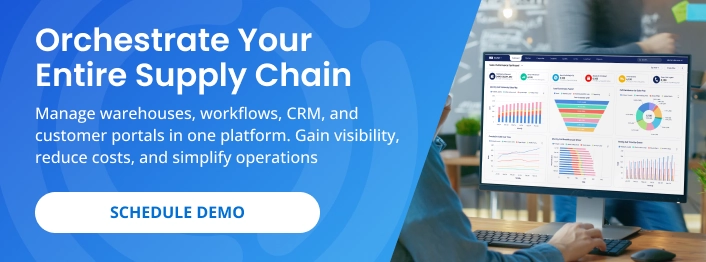
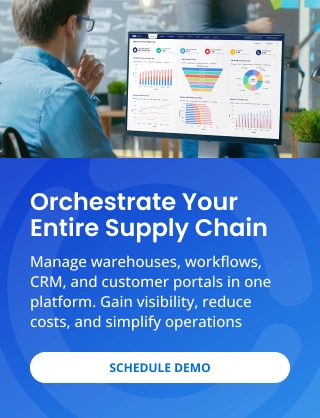
At this point, you may be wondering what a WMS SaaS like Supply Chain Orchestrator actually looks like in practice. Its Cloud Warehouse Management System brings receipts, packages, inventory, orders, tasks, shipments, documents, and reporting together in one platform, giving your team a clearer picture of what is happening across the warehouse.
And here’s the good news: you don’t have to invest in every capability on day one. As your needs grow, you can add Workflow Automation, WMS Mobile App, Warehouse Dimensioner, Customer Portal, and Supply Chain CRM to automate repetitive work, manage activity from the warehouse floor, capture cargo data, provide customer self-service, and connect sales with operations. Start with what you need today and expand when your business is ready.
See how Supply Chain Orchestrator connects warehouse and logistics operations through integration, automation, AI, and improved visibility.
Conclusion
Adopting the right WMS for your business is critical for operational efficiency. Remember, a robust WMS should be viewed as a long-term strategic investment rather than a quick fix.
Understanding how to choose a solution like a SaaS-based WMS should involve careful consideration of industry expertise, scalability needs, support offerings and user reviews to make an informed choice. Implementing the right WMS will allow you to make life decisions easier for your company down the line.
Ready to see whether Supply Chain Orchestrator is the right fit for your warehouse? Schedule a demo to explore how its cloud-based WMS and connected modules can help streamline operations, improve visibility, and support your business as it grows.
For more warehouse management, logistics software, and technology insights, follow us on LinkedIn and subscribe to our YouTube channel.
Frequently Asked Questions About WMS SaaS
1. What is WMS SaaS?
WMS SaaS is cloud-based warehouse management software accessed through the internet, usually through a web browser. The provider hosts and maintains the system while businesses use it to manage inventory, orders, tasks, shipments, and other warehouse activities.
2. Is WMS SaaS the same as a cloud WMS?
Yes. WMS SaaS and cloud WMS generally describe the same deployment model, where the software is hosted by the provider rather than installed and maintained on a company’s local servers.
3. What are the main benefits of WMS SaaS?
The main benefits include lower infrastructure requirements, easier system maintenance, remote access, scalability, and real-time operational visibility. Businesses can also receive updates without managing complex on-site upgrades.
4. How is WMS SaaS different from an on-premises WMS?
WMS SaaS is hosted and maintained by the software provider, while an on-premises WMS is installed on infrastructure managed by the business. SaaS systems typically require less internal IT support, while on-premises systems provide greater direct control over hosting and infrastructure.
5. How do you choose the right WMS SaaS platform?
Choose a WMS SaaS platform by evaluating its functionality, integrations, scalability, usability, implementation support, security, and total cost. The system should fit your current warehouse processes while providing room to grow.

Written by
Hector Sunol
Related Blogs

How to Select the Best Warehouse Management System
Learn how to select the best warehouse management system by evaluating your operational needs, essential features, vendor support, implementation requirements, and long-term scalability.
Start Reading

Mastering Your Warehouse with WMS Software: A Comprehensive Guide
We all know that a well-run warehouse is essential for any business that deals with physical goods and fulfillment operations. But keeping track of inventory, managing orders, and optimizing workflows can be a real he...
Start Reading

Cloud Based Inventory Management Systems for Smarter Supply Management
In today’s fast-moving supply chains, businesses need more than traditional tools to stay competitive. A modern inventory management solution—especially cloud based—is becoming essential for companies looking to moder...
Start Reading