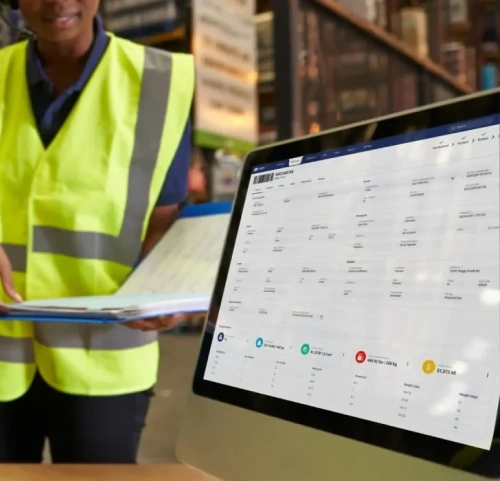
Warehouse Operations WMS Implementation: A Comprehensive Guide for Seamless Adoption
Learn the key phases of WMS implementation, from planning and system selection to data migration, training, go-live, and continuous improvement, with practical guidance for avoiding common challenges.
Table of Contents
SHARE ON SOCIAL MEDIA


Implementing a WMS can optimize your warehouse processes, improve inventory accuracy, and enhance overall operational efficiency. But where do you begin? This guide will walk you through the entire process of WMS implementation, from initial planning to final execution, covering key aspects such as system selection, data integration, and employee training.
Follow our step-by-step instructions, leverage valuable insights, and avoid common pitfalls to ensure a successful WMS implementation that aligns with your unique business needs. Read the full article.
What is WMS Implementation and Its Benefits?
WMS, or Warehouse Management System implementation refers to setting up and integrating a software system designed to manage and control the warehouse or distribution center operations efficiently. This implementation involves a series of steps and activities to ensure that the WMS functions effectively and meets the specific needs of the organization.
Implementing a warehouse management system (WMS) can bring numerous benefits to your business, such as:
1. Real-Time Visibility
Firstly, a WMS provides real-time visibility into your inventory, allowing you to track stock levels, locations, and movements accurately. This visibility enables better inventory management, reducing stockouts and overstock situations.
2. Automation
Secondly, a WMS automates manual warehouse processes, reducing human errors and increasing operational efficiency. Tasks such as receiving, picking, packing, and shipping can be streamlined using barcode scanning, automated workflows, and optimized picking routes. This automation not only saves time but also improves accuracy, leading to higher customer satisfaction and repeat business.
3. Data Insights
A WMS provides valuable data insights to help you make data-driven decisions. By analyzing key performance indicators (KPIs) such as order cycle time, order accuracy, and labor productivity, you can identify areas for improvement and implement strategies to optimize your warehouse operations further.
Implementing a WMS can improve inventory accuracy, increase operational efficiency, and provide valuable data insights, ultimately helping you streamline your warehouse operations and stay ahead of the competition. To learn more about the benefits of a WMS, read this article.
6 Key Phases of WMS Implementation
Warehouse Management System (WMS) implementation typically involves several phases to ensure a successful deployment. These phases may vary depending on the specific needs of your organization, but the following are common phases in a WMS implementation project:
Phase 1: Preparation for WMS Implementation
The first step in the WMS implementation process is to lay a solid foundation for success. Here are some key steps to prepare for WMS implementation:
- Assess Your Current Warehouse Processes: Conduct a thorough evaluation of your existing warehouse processes to identify pain points, inefficiencies, and areas for improvement. Document your findings and use them to select the right WMS for your business.
- Set Clear Objectives: Clearly define your goals and objectives for implementing a WMS. Are you looking to improve inventory accuracy, reduce order cycle time, or increase labor productivity? Setting clear objectives will help you measure the success of your WMS implementation.
- Engage Key Stakeholders: Involve key stakeholders, such as warehouse managers, IT personnel, and employees, in the decision-making process. Their insights and feedback are crucial for selecting the right WMS and ensuring smooth implementation.
- Allocate Resources: Determine the resources required for successful WMS implementation, including budget, time, and personnel. Allocate these resources accordingly to avoid delays and setbacks.
- Create a Project Plan: Develop a comprehensive project plan that outlines the timeline, milestones, and responsibilities for each phase of WMS implementation. This plan will serve as a roadmap for the entire project and help keep everyone aligned.
By taking these preparatory steps, you’ll set yourself up for a successful WMS implementation that addresses your business needs and goals.

Phase 2: Choosing the Right WMS for Your Business
Once you have assessed your warehouse needs and goals, it’s time to evaluate different WMS options. Begin by researching and shortlisting potential vendors based on their reputation, customer reviews, and industry expertise. Contact these vendors to request demos and gather more information about their products and services.
During the evaluation process, consider factors such as the vendor’s experience in the industry, the stability and reliability of their software, and their track record of successful implementations. Ask for references from existing customers and inquire about their experiences with the system and the vendor’s support and training services.
It’s also crucial to consider scalability and future growth. Your business may expand, and your warehouse operations may become more complex. Therefore, choosing a WMS that can scale with your business and accommodate your future needs is essential.
It is also important to compare the key WMS features each system provides and determine which capabilities are essential for your warehouse processes.
Consider factors such as the number of users the system can support, the maximum volume of inventory it can handle, and whether it can integrate with other systems and software that you may adopt in the future. Look for a vendor that has a proven track record of supporting businesses through growth and can provide scalable solutions.
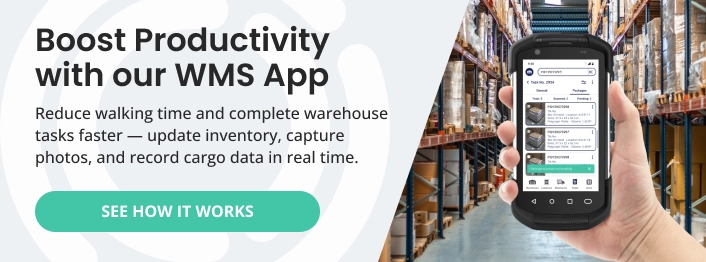
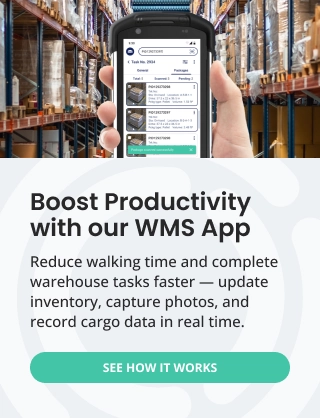
As one option, Supply Chain Orchestrator’s Cloud Warehouse Management System combines core warehouse capabilities with built-in integrations, open API access, and onboarding support. Businesses can begin with the WMS functionality required for their current operations and later add connected modules for workflow automation, WMS mobile app, automated dimensioning, customer portal, and logistics CRM as their needs grow.
Phase 3: System Configuration, Data Migration, & Integrations
Customize the WMS to meet your specific business requirements. This may include setting up user roles, defining workflows, and configuring reports.
Additionally, transfer existing data from your legacy systems to the new WMS. Take this opportunity to clean and validate your data to ensure accuracy and integrity.
Integrating the WMS with your enterprise resource planning (ERP), logistics CRM, and transportation management systems can also streamline data flow and enhance visibility across the supply chain.
Phase 4: Testing and Validation
Conduct rigorous testing to ensure the WMS functions as expected. Test various scenarios, such as order processing, inventory management, and reporting, to identify and resolve any issues before going live.
Phase 5: Training and Onboarding
Effective training and onboarding are crucial for a successful WMS implementation. Your warehouse staff must understand how to navigate the new system and leverage its capabilities to streamline daily tasks. Here are some best practices for training and onboarding WMS users:
- Comprehensive Training: Develop a training program covering all WMS aspects, from basic navigation to advanced functionalities. Consider offering different training formats, such as classroom sessions, online modules, and hands-on exercises.
- Tailored Training: Customize the training program to suit different user roles and responsibilities. Warehouse managers may require more in-depth training on system administration and reporting, while pickers and packers may need focused training on order processing and inventory management.

Phase 6: Go Live and Continuous Improvements
Once the testing and training phase is successful, roll out the WMS to the entire warehouse or distribution center. Monitor the system’s performance closely and address any issues that may arise during the initial stages of full-scale operation.
Additionally, offer ongoing technical support to address user issues and perform routine maintenance. If it is an on-premise WMS, always keep it up-to-date with software updates, patches, and upgrades. If it is a WMS SaaS, updates are automatically rolled out by the software company. Conduct regular reviews and assessments to ensure that the WMS continues to meet your evolving business needs. Here are some best practices to facilitate continuous improvement:
- Ongoing Support: Offer post-training support to address user questions and concerns. Assign dedicated resources, such as a helpdesk or an internal WMS expert, to provide timely assistance and ensure users feel confident using the new system. Your WMS vendor must also provide ongoing support.
- User Feedback: Encourage users to provide feedback on the WMS. Regularly evaluate their effectiveness in using the software.
How to Avoid Common WMS Implementation Challenges
Even with a detailed project plan, a WMS implementation can run into problems if requirements, data, integrations, testing, and employee adoption are not managed carefully. Addressing these risks early can help keep the project on schedule and improve the likelihood of a successful rollout.
1. Define Clear Requirements and Control the Project Scope
Unclear requirements can lead to unnecessary customization, changing priorities, and implementation delays. Document your essential workflows, integrations, reports, and user needs before configuring the system. Any new request should be evaluated against the project’s goals, budget, and timeline.
2. Clean and Validate Data Before Migration
Incomplete, duplicate, or inaccurate data can create inventory and reporting problems in the new system. Review product records, customer information, location data, units of measure, and inventory balances before transferring them to the WMS.
3. Test Integrations and Real Warehouse Scenarios
Testing should cover more than basic system functions. Confirm that the WMS exchanges data correctly with ERP, transportation, CRM, accounting, and other connected systems. Teams should also test realistic receiving, put-away, picking, packing, shipping, inventory, and exception scenarios before going live.
4. Prepare Employees for the Change
A technically successful implementation can still struggle if employees are not comfortable using the new system. Involve key users early, explain how the WMS will affect their work, provide role-specific training, and allow time for hands-on practice.
5. Plan for Go-Live Support
The project team and WMS vendor should be available to resolve issues quickly during the initial rollout. Establish escalation procedures, assign internal system owners, and monitor inventory accuracy, order processing, system performance, and user adoption closely after launch.
6. Measure Results Against Your Original Goals
Use the objectives established during the preparation phase to evaluate the implementation. Metrics may include inventory accuracy, order cycle time, picking accuracy, labor productivity, system adoption, and reduction in manual work. Regular reviews will help identify where additional training, configuration, or process improvements are needed.
Conclusion
This guide provides a comprehensive overview of the essential steps involved in the WMS implementation process, from initial planning and system selection to configuration, testing, training, go-live, and continuous improvement. By following these phases, warehouse operators can select the right system for their business and work toward greater visibility, automation, inventory accuracy, and operational efficiency.
WMS implementation is a journey that begins with understanding your warehouse’s unique needs and objectives, choosing the right system, configuring it to support your processes, and preparing your workforce for adoption. It is not simply a one-time technology project, but an ongoing commitment to improving warehouse performance as business requirements evolve.
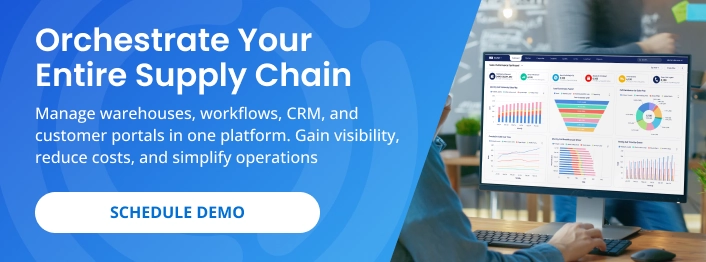
Ready to plan your WMS implementation? Schedule a demo to explore how Supply Chain Orchestrator can help you centralize warehouse activity, automate key processes, connect operational data, and support a smoother transition to a modern cloud WMS.
For more warehouse management, logistics software, and technology insights, follow us on LinkedIn and subscribe to our YouTube channel.
Frequently Asked Questions About WMS Implementation
1. What is the purpose of a WMS?
A warehouse management system helps manage and control daily warehouse activities, including receiving, put-away, inventory tracking, picking, packing, shipping, and reporting. Its purpose is to improve operational efficiency, inventory accuracy, productivity, and customer service.
2. Why should a WMS be implemented in a warehouse?
A WMS should be implemented when a warehouse needs better inventory visibility, fewer manual errors, more efficient workflows, and stronger operational reporting. It can automate routine tasks, improve inventory control, and provide data that supports better warehouse decisions.
3. How long does a WMS implementation take?
A WMS implementation can take several months or longer, depending on warehouse size, process complexity, system requirements, integrations, data migration, testing, and employee training. A clear project plan and early stakeholder involvement can help reduce delays.
4. What are the main phases of WMS implementation?
The main phases include preparation, WMS selection, system configuration, data migration and integrations, testing, employee training, go-live, and continuous improvement. Each phase helps ensure the system supports operational requirements and is ready for daily use.
5. How should a business prepare for WMS implementation?
Preparation should begin with reviewing current warehouse processes, identifying inefficiencies, defining clear objectives, involving key stakeholders, allocating resources, and creating a detailed project plan. These steps establish the requirements, responsibilities, timeline, and success measures for the implementation.

Written by
Hector Sunol
Related Blogs

How to Select the Best Warehouse Management System
Learn how to select the best warehouse management system by evaluating your operational needs, essential features, vendor support, implementation requirements, and long-term scalability.
Start Reading

WMS SaaS: Definition, Benefits, and How to Choose the Right One
Learn what WMS SaaS is, why more companies are making the switch, and what to consider when choosing the right system for your warehouse.
Start Reading

Mastering Your Warehouse with WMS Software: A Comprehensive Guide
We all know that a well-run warehouse is essential for any business that deals with physical goods and fulfillment operations. But keeping track of inventory, managing orders, and optimizing workflows can be a real he...
Start Reading