
Warehouse Technology Supply Chain Orchestration: A Simple SMB Guide
Running a small or midsize operation today is tough. Orders spike, then stall. Inventory moves fast. Customers want answers right now.
Most teams try to keep up with spreadsheets, emails, and a few disconnected apps. It works—until it doesn’t. People chase updates. Tasks slip. Errors sneak in.
Table of Contents
SHARE ON SOCIAL MEDIA


Supply chain orchestration gives you a calmer way to work. Think of it as a control layer that sits above your tools and keeps everything moving together. The system guides the steps, automates the handoffs, and shows everyone the same truth in real time.
The result feels different on the floor: fewer “where is it?” messages, shorter walks, cleaner picks, and faster shipments. In short, orchestration helps you run an effective supply chain—one that moves faster, makes fewer mistakes, and keeps customers informed in real time.
What Is Supply Chain Orchestration?
Supply chain orchestration is the process brain for your operation. It doesn’t just connect systems; it directs the flow of work across your supply chain operations. It checks the data, assigns the next task, and tracks proof—who did what, when, and where. With a logistics orchestration platform like Supply Chain Orchestrator, your WMS, CRM, customer portal, and workflows act like one system instead of four separate ones.
That’s how small teams get big results without big-company overhead.
Why orchestration matters now for SMB logistics
The game changed faster than most tech stacks did.
- Customers expect real time. They want live status, documents, and photos—not a voicemail.
- Teams are lean. You can’t hire your way out; you need automation to handle routine steps.
- Errors cost more. One mis-pick or wrong weight triggers chargebacks, rework, and unhappy customers.
- Channels multiplied. E-commerce, retail, 3PL, projects—each adds steps and handoffs.
- Data is scattered. WMS, spreadsheets, and inboxes rarely agree without a control layer.
- Cloud + no-code are ready. It’s finally practical to standardize warehouse processes without custom code.
In this mix, supply chain orchestration software gives you speed without bloat. Your people focus on exceptions. The system handles the boring but critical stuff.
Orchestration vs. Integration vs. ERP
Integration moves data. Orchestration moves the work.
First, integration. It’s a data pipe that copies fields from System A to System B. That’s useful; however, it doesn’t tell anyone what to do next.
By contrast, orchestration is a traffic cop. It defines the workflow, checks data quality, assigns owners, starts timers, and triggers the next step. As a result, processes run the same way every time. Ultimately, you get consistency, not just connectivity.
Where ERP fits—and where it adds cost/complexity
On one hand, ERP suites cover a lot—finance, purchasing, HR, and more. That breadth is powerful. On the other hand, it can feel heavy for SMB logistics. Projects run long, customizations add risk, and costs climb.
Instead, an orchestration-first approach is lighter. You keep the finance system you already like. Then, you add what you need most—WMS, workflows, a mobile WMS app, a customer portal, and reporting—all coordinated by one logistics orchestration platform. Consequently, you launch faster, spend less, and keep flexibility.
When a logistics orchestration platform is the better path
Choose supply chain orchestration when you want:
- Standardized workflows across teams and shifts.
- Real-time visibility for operations and customers.
- Automation for dock-to-stock, exceptions, and notifications.
- Flexibility to tweak flows without calling a developer.
- Proof and compliance with clear audit trails.
In short, integration connects systems. Meanwhile, ERP tries to be the system. Ultimately, orchestration makes your small business supply chain software behave like one well-run operation—without the bloat.
Core Principles of a Smart Supply Chain
To work smarter, start by standardizing the basics. Agree on the steps, the owners, and the definitions (what “received,” “put away,” and “shipped” mean). Next, automate anything that repeats—labels, alerts, task assignments, and exception routing—so the system handles routine work while people handle decisions. Then, make everything visible in real time: floor updates flow through the mobile app, customers see status in the portal, and leaders watch live KPIs. Together, these three moves reduce errors, shorten cycle times, and keep everyone on the same page.
Single source of truth
First, bring orders, inventory, tasks, and documents into one system of record. Practically, connect your WMS, SCRM, and customer portal to the logistics orchestration platform, and make it the place where item masters, locations, and statuses live. Then use simple rules to prevent duplicates and keep fields in sync (SKU, lot, bin, quantity). As a result, everyone—floor, office, and customers—sees the same real-time numbers and a holistic view of operations, so decisions speed up and errors go down.
Standardized warehouse processes
Next, agree on “the way we do it here.” Map your core supply chain processes—for example, receiving, putaway, picking, packing, and returns. Then, build workflows in your orchestration platform that enforce those steps (required scans, task assignments, approvals, and timers). As a result, work looks the same across shifts and sites.
Want more ways to optimize your warehouse operations? Read our blog: “Warehouse Operations: Definition, Functions, Optimization Tips.”
Automation and exception handling
After you standardize, automate. For example, create dock-to-stock workflows, reorder alerts, and backorder triggers. Meanwhile, when something goes wrong—short count, damage, or wrong SKU—the app prompts for a photo and a quick note, then auto-routes a task to the right owner (receiver, supervisor, or customer service). As a result, the team fixes the issue right away instead of emailing screenshots or retyping data.
Real-time visibility across teams and customers
Now, make status easy to see. Pickers update progress on the mobile app as they scan. Supervisors watch a live board for bottlenecks. Customers check a self-serve portal for inventory, shipments, and documents. Because of this, ops stays aligned, “Any update?” messages fade away, and customer satisfaction improves with faster answers and fewer surprises.
Proof, compliance, and audit trails
Finally, keep receipts. The system logs who did what, when, and where—and stores photos, signatures, and weights with each step. In practice, that means you can prove a pallet’s condition, resolve chargebacks, and pass audits without hunting through inboxes.
Bottom line: these principles turn supply chain orchestration software into daily habits. First standardize. Then automate. And always keep the truth visible.
What a Logistics Orchestration Platform Includes
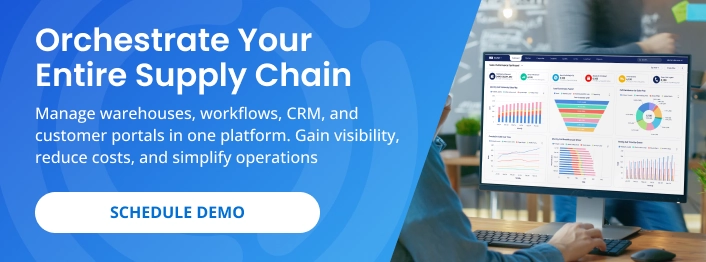
A good platform isn’t one feature. It’s a set of tools that work together like one system—your WMS, workflows, mobile app, customer portal, dimensioner, and reporting—so data and tasks flow smoothly and your supply chain work moves from quote to delivery without retyping or lost handoffs.
WMS (the execution engine)
This is where work happens on the warehouse floor. It manages receiving, putaway, picking, packing, and shipping.
Why it matters: inventory stays accurate; tasks stay organized; errors go down.
Look for:
- Inventory management
- Location control
- Task assignments & management
- Barcode scanning
- Dimensioning support
- Document management
Workflows (no-code process automation)
Workflows are the rules and handoffs. They decide who does what, in what order, and what happens if something goes wrong.
Why it matters: routine tasks run themselves; people focus on exceptions.
Look for:
- Triggers (e.g., cargo received → auto-create putaway tasks)
- Task templates & assignment
- Notifications to teams and customers (email, portal updates)
- Decision-tree logic
- Integrations across WMS, CRM/SCRM, Customer Portal, and Accounting so data and actions stay in sync
Mobile WMS App (reduce walking time)
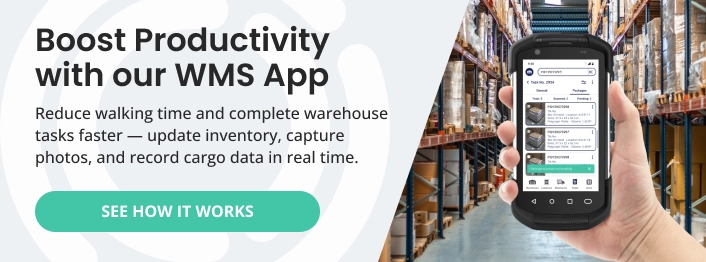
Work happens in the aisles—not at a desk. The app lets users scan barcodes, capture photos, and complete tasks on the spot.
Why it matters: less walking, faster cycles, cleaner data.
Look for:
- Barcode scanning
- Manage cargo
- Photo capture
- Create & manage tasks
- Scan documents
Want to dive deeper into the benefits of a mobile app? Read our blog: “Mobile Inventory Management for Warehouses: A Practical Guide.”
Real-Time Customer Portal (self-service)
Give customers a place to check status, view documents, request quotes, and see inventory—without emailing your team.
Why it matters: fewer “any update?” calls; higher satisfaction.
Look for:
- Live shipment tracking and milestones
- Documents and images by order/shipment
- Self-serve quotes and requests
- Role-based access for each client
Dimensioning Automation (size/weight/image capture)
A dimensioner system records size, weight, and a proof photo in seconds and pushes it to the WMS.
Why it matters: fewer chargebacks, cleaner billing, and rock-solid proof.
Look for:
- Certified accuracy and fast cycle time
- Direct integration with WMS
- Automatic photo
- Integration with digital scales
SCRM (logistics-native CRM)
Sales and ops need the same truth. A logistics-aware CRM ties quotes, emails, and calls to orders and inventory.
Why it matters: faster handoffs and fewer surprises.
Look for:
- Multiple quote types (FCL, LCL, FTL, LTL, IM)
- Email & phone integration (auto-log messages/calls to the account/opportunity)
- Tasks & follow-ups (next steps, reminders, team handoffs)
- Custom fields & layouts (capture the logistics data you actually use)
- Simple dashboards (pipeline, win rate, average cycle time, retention)
Analytics & Reporting
Finally, you need clear dashboards and reports. Teams should see dock-to-stock, pick accuracy, travel time, ticket volume, and more in real time.
Why it matters: you can spot issues early and prove results.
Look for:
- Real-time widgets for floor and leadership
- Filters by customer, shipper, SKU, user, and area
- Scheduled reports and alerts on thresholds
- Export/API for deeper analysis
Bottom line: when these pieces work together, your supply chain orchestration software becomes a single, reliable system—not six separate tools taped together.
How to Get Started with Supply Chain Orchestration
You don’t need a giant project to see results. Instead, start with a small slice of work, prove the value, and then expand. This is a practical approach to supply chain management: quick wins for the floor, clear visibility for leaders, and fewer “Where is it?” messages for customers.
1) Map your top processes
Begin with a whiteboard session. List the five flows you touch every day—receiving, putaway, picking, packing, and returns. For each, sketch the steps, who owns them, and which documents or labels are involved. Keep it simple and concrete: “Truck arrives → Count and inspect → Print labels → Stage for putaway.”
Why this matters: When everyone agrees on “the way we do it here,” you remove guesswork. Moreover, these one-page maps become the blueprint for your workflows. If a step is unclear on paper, it will be messy in software.
2) Launch one or two high-impact workflows
Next, pick the pain you feel most and automate just that. For many teams, dock-to-stock is the fastest win: when receiving closes, the system auto-creates putaway tasks, sets a timer, and nudges if something is late. Another common win is damage or short count handling: the app prompts for a photo and a quick note, then routes a task to the right owner (receiver, supervisor, or customer service) and alerts the customer if needed.
Start with basic IF/THEN rules. For example: IF pallet is short THEN create exception task → assign to supervisor → request photo proof. You can add more branches later. The point is to replace manual “follow-up emails” with clear ownership and automatic next steps.
3) Mobilize the floor
Once the first workflows are live, put the mobile WMS app in your team’s hands. Scanning at the shelf—not at a desk—eliminates walking back and forth and reduces typos. A picker can see their queue, scan to confirm each line, attach a photo when something looks off, and move on. Supervisors get real-time status without chasing anyone.
This is where adoption happens. People feel the difference immediately: less hunting, fewer interruptions, and faster, cleaner updates.
4) Turn on the customer portal
After the floor is moving smoothly, give customers a self-serve portal. They can check live status and milestones, open a quote or issue request, and download documents or photos tied to their orders. As a result, “Any update?” emails drop off, and your team gets time back.
If you worry about exposing too much, start small. Share shipment status and documents first. Then, as you build trust, add inventory views and quote requests that feed your workflows.
5) Tune, then expand
Finally, review what worked and what clogged. Look at a week of activity and ask where tasks piled up—and why. Shorten or remove steps that add no value, then tighten rules that were too loose. Next, add one new workflow at a time—reorder alerts, backorder routing, or cycle-count rules—so improvements keep rolling without overwhelming the team. Treat this cadence as strategic planning in practice: use real data to prioritize the next investments, align the team, and keep momentum with light training—short videos, one-pagers, and a couple of super-users per shift.
Bottom line: design the flow on paper, automate the repeatable parts, and give your team the tools to work where the work happens. Done this way, supply chain orchestration becomes a daily habit—delivering speed, accuracy, and visibility—without the ERP bloat.
Make Orchestration Your Daily Advantage
Supply chain orchestration isn’t a buzzword—it’s a calmer way to run the day. You standardize the work, automate the repeats, and keep the truth visible. The payoff shows up as real cost savings—less rework, fewer chargebacks, and lower overtime—while your team moves faster, makes fewer mistakes, and gives customers real-time answers without the back-and-forth.
Start simple: map a process, launch one workflow, put the mobile app in people’s hands, and turn on a light-weight portal. Then tune and expand. Step by step, your tools will work together like one system—a true logistics orchestration platform.
Ready to see it in action?
Book a quick walkthrough of Supply Chain Orchestrator and we’ll show how your receiving, putaway, picking, packing, and customer updates can run on rails—without ERP bloat.

Written by
Hector Sunol
Related Blogs

Supply Chain Orchestration: Role, Components, and Importance
Supply chain management is vital in determining a company’s success or failure in extremely competitive industries. Businesses can streamline operations and achieve maximum efficiency by effectively orchestratin...
Start Reading

How Supply Chain Software is Transforming Small Business Operations
In today’s competitive market, small businesses need every advantage to stay ahead, especially in logistics where efficiency is key. Historically, advanced tools like supply chain management software were only accessi...
Start Reading

Supply Chain Integration: Strategies, Benefits, and SaaS Solutions
In today’s fast-moving markets, supply chain integration is no longer optional—it’s essential. Businesses depend on smooth coordination between warehouses, transportation, suppliers, and customers to stay competitive....
Start Reading