Supply Chain Orchestrator 26.7.1
This release introduces an AI-powered WMS Chatbot for asking questions, retrieving information, and generating reports, along with reusable Air Waybill templates with custom notes. Additional enhancements expand inventory customization, simplify document preparation, and reduce manual entry across charges, invoicing, warehouse receipts, and pickup and delivery workflows.
What’s New?
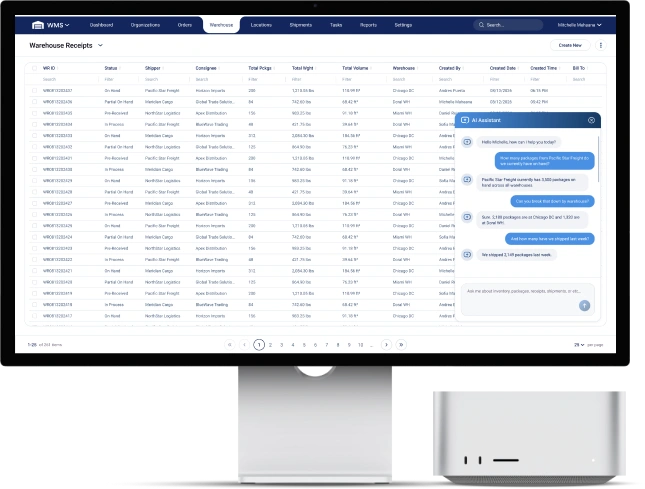
AI Chatbot for WMS Questions and Reporting
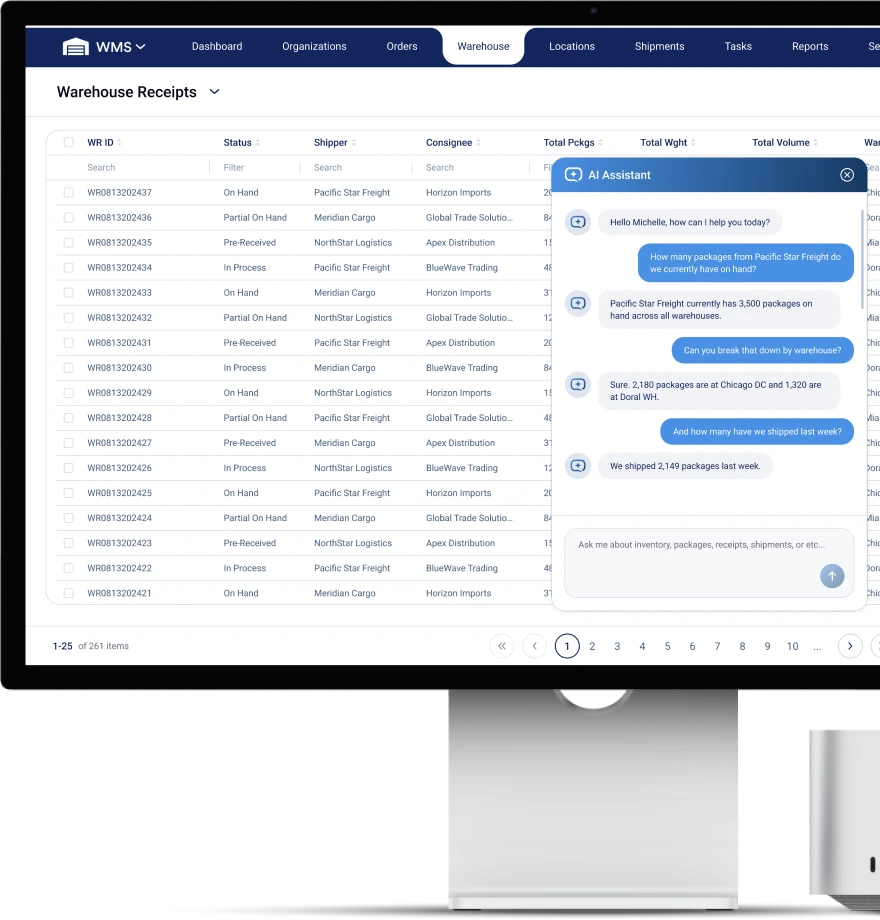
Supply Chain Orchestrator now includes an AI-powered chatbot that lets users interact with WMS information through a conversational interface. Teams can ask questions and request reports directly within the application, helping reduce the effort needed to find information and prepare data for review.
With the AI Chatbot, users can:
- Ask questions in natural language: Request WMS information using everyday language.
- Retrieve information through chat: Access WMS information in response to questions, helping reduce manual lookups.
- Generate reports: Ask the chatbot to produce reports from WMS information to support operational reviews.
- Create and export Excel files: Generate downloadable Excel files for further analysis, sharing, or use outside Orchestrator.
Air Waybill Templates with Custom Notes
Users can now create reusable Air Waybill templates by cloning existing Air Waybill documents and adding specific notes. This helps teams prepare document variations for recurring operational requirements without repeating the same setup.
With this functionality, users can:
- Clone existing Air Waybill documents: Use an existing document as the starting point for a new template.
- Include template-specific notes: Add the notes needed for each document variation.
- Manage templates in Admin: Configure and maintain reusable document templates in one place.
- Select the appropriate template: Choose which Air Waybill template to use when generating the document.
Reusing these templates reduces repeated note entry and helps keep document content consistent across similar shipments.
Enhancements
Arrival Notice Document
Users can now generate an Arrival Notice directly in WMS using the corresponding shipment information. This reduces the need to prepare arrival documentation separately or re-enter information already recorded in the shipment.
Custom Fields for Inventory Items
Inventory items now support custom fields, giving companies more flexibility to capture information specific to their operations.
Users can:
- Configure custom fields in Admin: Define the additional information to capture for inventory items.
- Manage values in the Inventory Item form: View and maintain custom field information within each item record.
- View custom fields in the Inventory Item Excel view: Review additional item details directly from the list without opening each record.
Export Inventory to Excel
Users can now export the Inventory List to Excel for analysis, reconciliation, and sharing outside Orchestrator. This makes it easier to work with inventory information in a spreadsheet without manually copying records.
Notes and Memos for Shipment and Consolidation Invoices
Users can now include a Note/Memo when generating invoices from Shipments and Consolidations. This provides a dedicated place to capture invoice-related context during the invoicing workflow.
Freight Other Charges on Air Waybills
A new Freight Other item charge type is available in WMS, with corresponding mapping to the Air Waybill. Users can record these charges under the new type and have them reflected in the generated document.
Improved Charge and Expense Calculations
Charges and Expenses now support Unit of Measure (UOM) conversions, with updated calculation logic to account for those conversions.
Related improvements include:
- Updated item rate logic: Revised Admin logic used in inventory-related calculations.
- Corrected Item Name selection: Fixed the Charges and Expenses dropdown so the appropriate items are available for selection.
Automatic Bill To Selection for Charges
When users create charges for a Shipment or Consolidation, the system now automatically carries over the Bill To selected on that record.
This reduces repeated data entry and helps keep charges associated with the intended billing party.
Improved Pickup and Delivery Workflows
Creating Pickup and Delivery orders from Shipments and Consolidations has been improved, along with the information available when selecting cargo.
Updates include:
- Improved order creation: Corrected issues in the process for creating Pickup and Delivery orders directly from Shipments and Consolidations.
- More inventory information during cargo selection: Added columns in Pickup & Delivery > Cargo > Add from Inventory, helping users review inventory details before adding cargo.
Warehouse Receipt Form Improvements
Several updates make Warehouse Receipt information easier to enter and maintain:
- Automatic package descriptions: Selecting a Part Number now populates the corresponding Description in the Package form, reducing manual typing and helping keep descriptions consistent.
- Driver and license details: Users can enter Driver and License information directly in the Warehouse Receipt form, keeping these details with the receiving record.
- Updated Invoice field: Revised the Invoice field in the General tab to improve consistency with the invoicing workflow.
Improved Air Waybill and Cargo Manifest Generation
Document generation fixes address issues affecting shipment documentation:
- Air Waybill charges: Corrected the handling of Airfreight charges so they are properly reflected in the generated document.
- Cargo Manifest generation: Resolved issues identified during document generation.
Updated Cargo Release List
The Cargo Release list now uses a revised column order to improve readability and make cargo release information easier to review.
Summary
This release brings AI-assisted questions and reporting into WMS, adds reusable Air Waybill templates, and expands inventory and document capabilities. Updates to billing, receiving, and cargo handling help teams reduce repeated entry and keep operational information more consistent.
Other Product Updates & Release Notes
