Supply Chain Orchestrator 26.5.1
We are excited to announce a new Supply Chain Orchestrator release focused on better visibility, faster warehouse execution, improved document control, and a smoother user experience across the WMS module. This release introduces a new WMS Dashboard functionality, expands label printing to the Mobile App, improves attachment handling, adds new cargo documents, and enhances reporting capabilities.
What’s New?
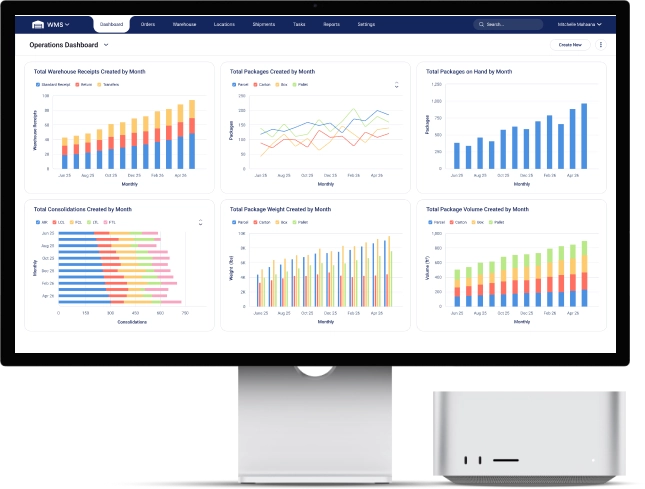
New WMS Operations Dashboard
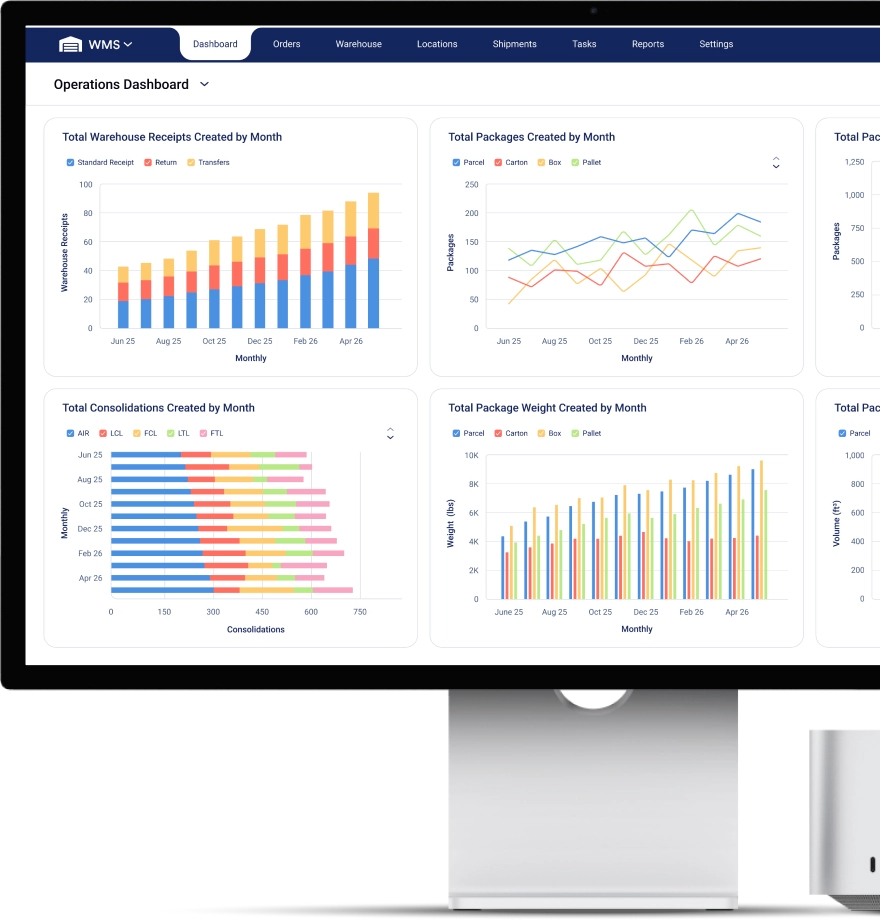
Supply Chain Orchestrator now includes a new dashboard functionality for the WMS module, giving users a faster and more visual way to monitor warehouse & operations in real time.
The new predefined Operations Dashboard allows users to track key warehouse metrics through ready-to-use widgets, including:
- Total Warehouse Receipts Created by Month
- Total Packages Created by Month
- Total Packages on Hand by Month
- Total Consolidations Created by Month
- Total Package Volume Created by Month
- Monthly Volume of On-Hand Packages
- Total Consolidations Created by Type and Month
- Total Package Weight Created by Month
- Monthly Weight of On-Hand Packages
This gives warehouse and operations teams a clearer view of warehouse volume, package activity, consolidations, and inventory currently on hand.
Custom Dashboard Creation
In addition to the predefined Operations Dashboard, users can now create additional dashboards and connect reports to them.
For each dashboard, users can:
- Assign a dashboard name
- Define owners who can make changes
- Set visibility rules to control who can view the dashboard
- Link reports to support different operational or management needs
This gives companies more flexibility to build dashboards around the metrics that matter most to their teams.
New Dashboard Tab and Last Navigation Memory
A new Dashboard tab has been added to support the new dashboard functionality.
To improve usability, Supply Chain Orchestrator now also remembers the last navigation tab used by each user. When users log back into the application, the system will automatically open the last tab they were working on.
This helps users continue their work faster without having to manually return to the same area each time.
Enhancements
Label Printing from the Mobile App
Users can now print labels directly from the Mobile App under both Packages and Warehouse Receipts.
This brings mobile label printing in line with the desktop application and helps warehouse teams complete receiving and package handling tasks faster from the floor.
The same label-printing permissions used in the desktop application also apply to the Mobile App.
Permission-Based “Create New” Options
The system now hides the Create New option when a user does not have permission to create certain records.
When creating entities such as Shipper, Consignee, Agent, and Supplier from the WMS module, the system now follows the permissions configured in Admin for the logged-in user.
Only users with permission to create companies and contacts will be able to create these entities.
Additional Cargo Release List Columns
New optional columns have been added to the Cargo Release list so users can customize the view with more relevant information.
The new columns are:
- Customer
- Pro No.
- Tracking No.
This gives users more flexibility when reviewing, filtering, and managing cargo releases.
Increased Attachment Size Limit
The attachment size limit has been increased from 25MB to 50MB across WMS forms that support attachments.
This improvement helps users upload larger files, images, and supporting documents without running into the previous attachment limit.
Multiple Warehouse Receipt Document Formats
Users can now manage and use multiple Warehouse Receipt document formats.
This enhancement allows users to:
- Create and maintain multiple Warehouse Receipt document formats
- Enable or disable specific formats
- Select a default Warehouse Receipt document
- Choose which Warehouse Receipt document should be used in Workflows
This gives companies more control over how Warehouse Receipt documents are generated and used across different operational scenarios.
Warehouse Receipt Terms and Conditions
Users can now define Terms and Conditions for the Warehouse Receipt document.
The Terms and Conditions will only appear on the Warehouse Receipt document when they are configured by the user.
Bill of Lading Terms and Conditions
Users can now define Terms and Conditions for the Bill of Lading document.
As with Warehouse Receipts, the Terms and Conditions will only appear on the Bill of Lading when the user has added them.
Improved Attachment Tab Performance
The Attachment tab has been optimized for customers who upload and manage many pictures or files.
This improvement makes listing, viewing, and selecting attachments faster and smoother, especially when working with a large number of images.
Select All for Attachments
A new Select All option has been added to attachments.
Users can now:
- See the total count of attachment items
- Select all attachments more easily
- Download multiple attachments with fewer clicks
This makes it faster to manage large groups of pictures, documents, and supporting files.
New Lithium Batteries Declaration Document
A new Lithium Batteries Declaration document has been added.
This document supports cargo that contains lithium batteries and will be transported by cargo aircraft.
New Air Cargo Transfer Manifest Document
A new Air Cargo Transfer Manifest document has been implemented.
This gives users another document option to support air cargo operations and transfer requirements.
Enhancements in Custom Reports
Several new properties have been added to custom report data sources.
The following fields were added:
- Transportation Mode / T Mode added to Shipment and Consolidation data sources
- Status added to the Package data source
- Volume added to the Package data source
- Weight added to the Package data source
Users can now also generate sums for Package Volume and Package Weight, as well as define the related units of measurement.
This gives users stronger reporting options for operational, shipment, consolidation, and package-level analysis.
Cargo Reporting for Shipments and Consolidations
A new cargo report has been added within each Shipment and Consolidation, giving users a clearer way to review the packages included in those records.
The report allows users to view cargo grouped by:
- WR ID
- House Bill No.
- Container No.
This makes it easier to analyze and understand the cargo associated with a specific Shipment or Consolidation, especially when working with larger or more complex cargo movements.
Other Product Updates & Release Notes
